Connect tinyCFO to ChatGPT
Add tinyCFO as a custom MCP app in ChatGPT (developer mode) so you can ask about your spending, net worth, and accounts using your real data.
Connect tinyCFO to ChatGPT using a custom MCP app and OAuth. ChatGPT's UI for apps and connectors is in beta and may change; if something looks different on your account, use the same values below in the closest matching fields.
Before You Start
- A tinyCFO account with at least one bank account connected. New here? Use the Getting Started guide.
- ChatGPT with access to developer mode and custom MCP apps (see Step 1).
Step 1: Enable developer mode
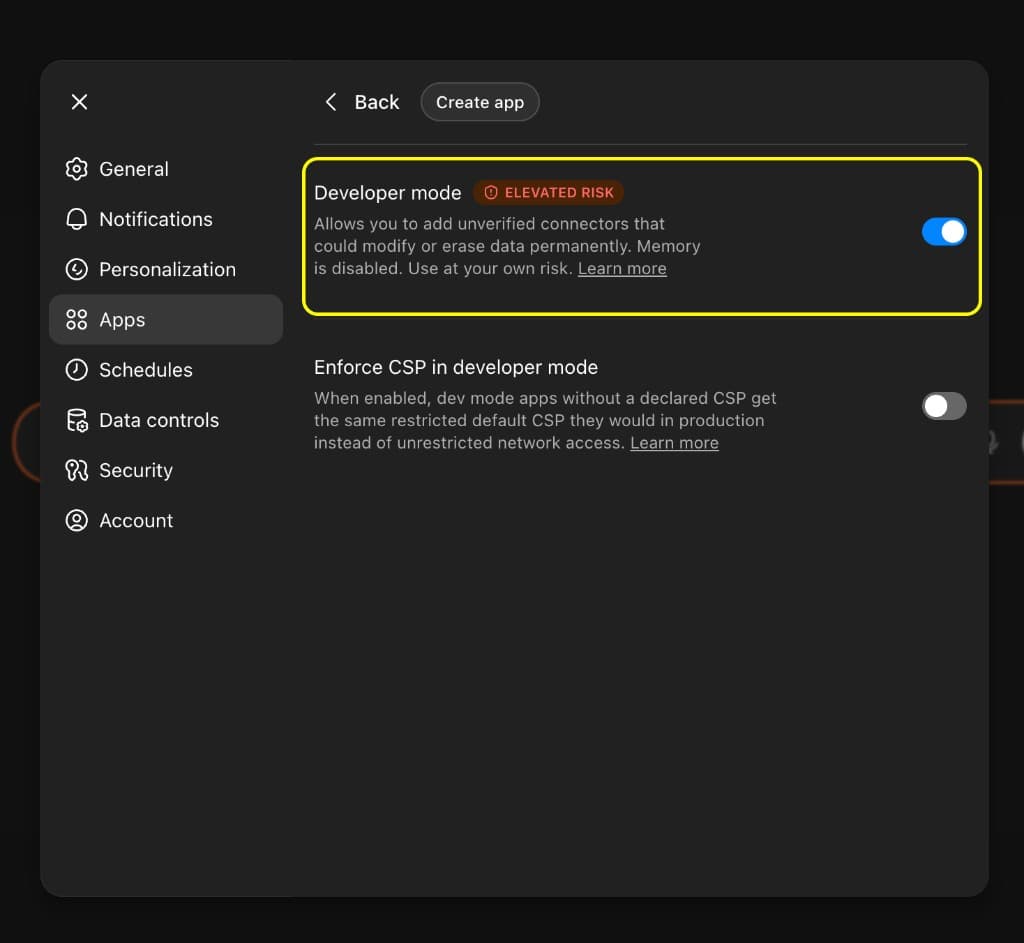
Open ChatGPT Settings → Connectors → Advanced and turn on developer mode so you can create custom MCP apps.
Open Connectors Advanced in ChatGPT
Step 2: Create an app
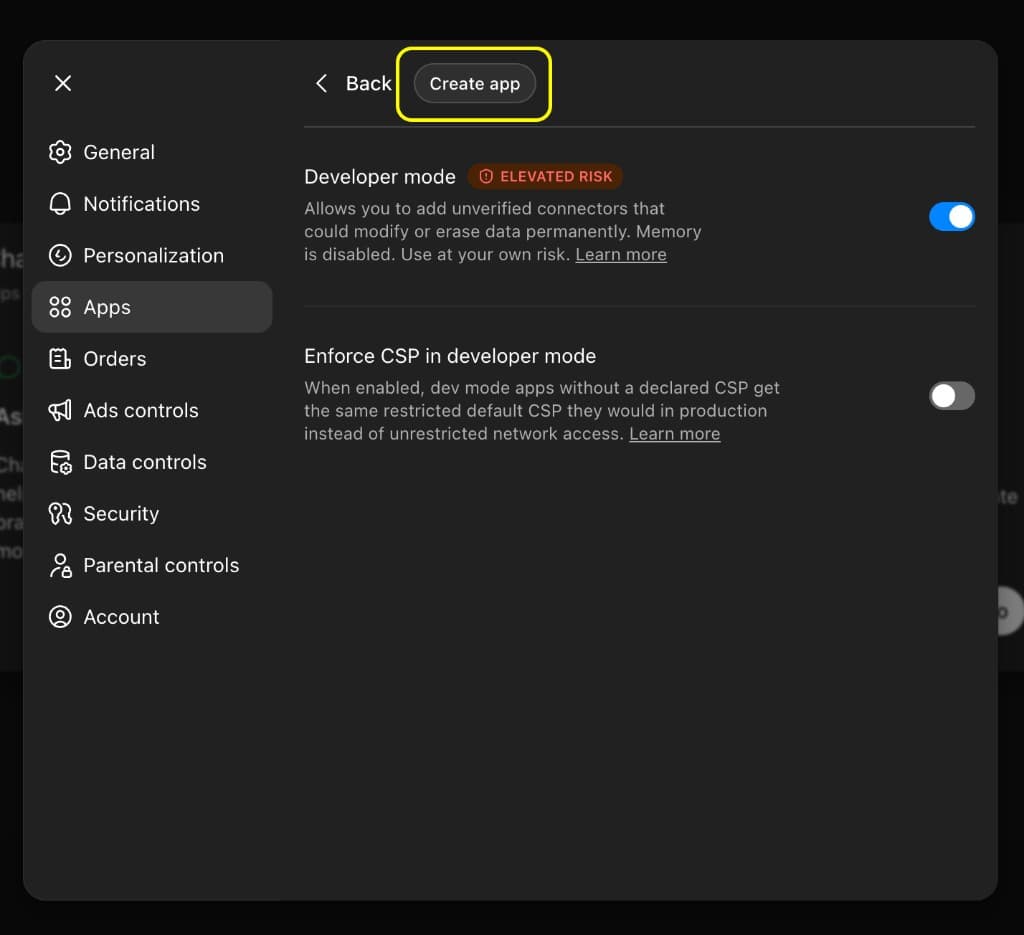
Still in Settings → Apps (with Developer mode on), click Create app at the top to open the full new-app configuration.
Step 3: Enter app and OAuth details
Use OAuth for authentication. In Advanced OAuth settings, ChatGPT shows a callback URL that is unique to your connector. Use it if tinyCFO or your IdP asks for a redirect URI.
Copy the values below into the matching fields on the New App form. Description is optional but helps you recognize the app later.
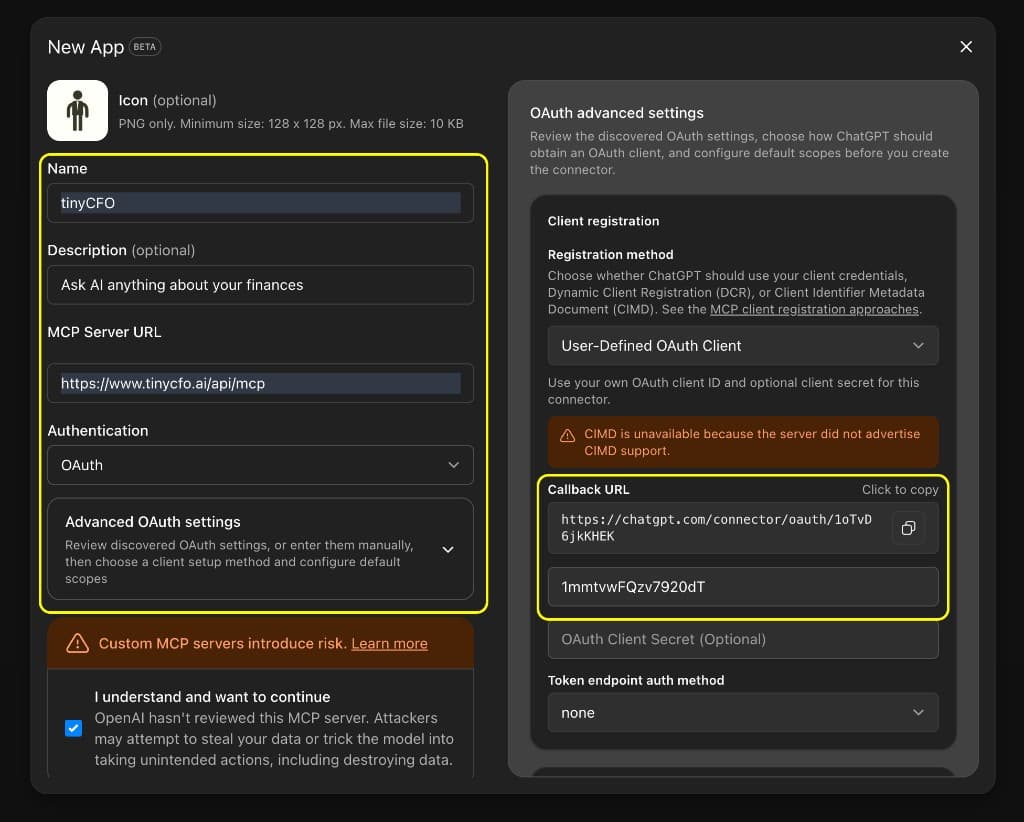
- Authentication: OAuth
- OAuth Client Secret: leave empty unless ChatGPT or your workspace requires it
- Token endpoint auth method: none (unless your ChatGPT build labels this differently)
Save or create the app in ChatGPT. When it asks to connect or authorize tinyCFO, continue to the next step.
Step 4: Sign in to tinyCFO (OAuth)
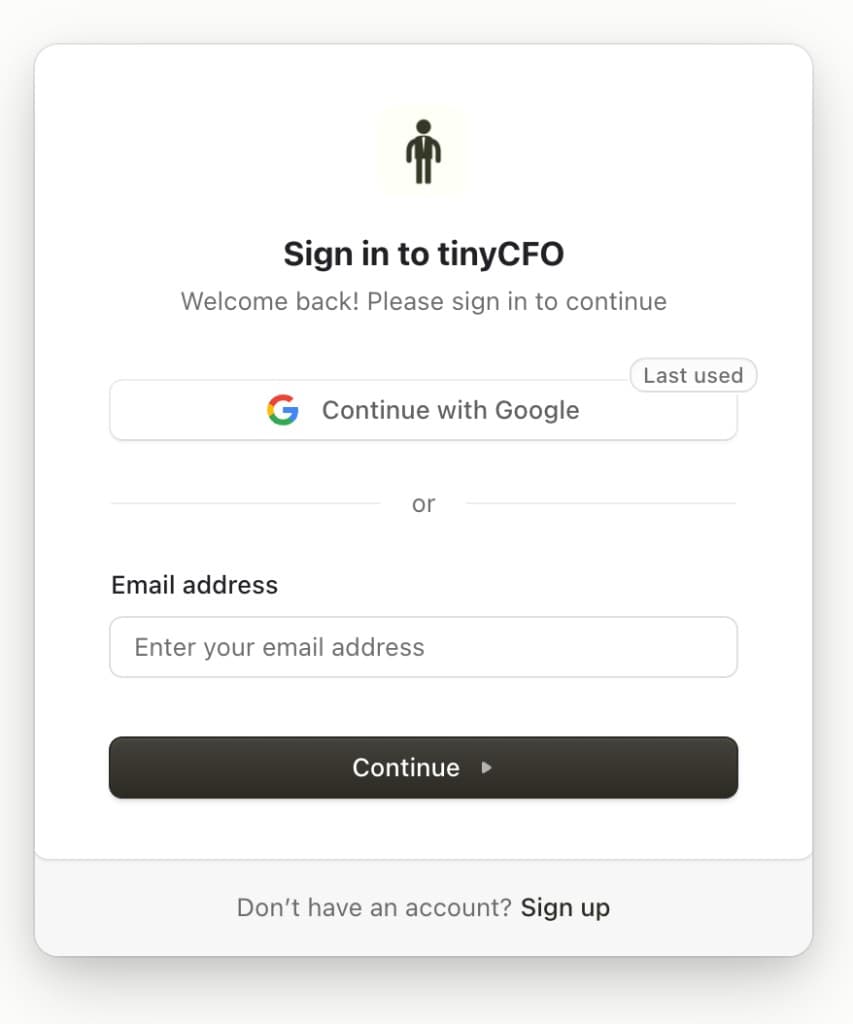
After you save the app, ChatGPT starts OAuth. You should be sent to tinyCFO's sign-in page in the browser (same window or a pop-up, depending on your setup). Sign in with the same tinyCFO account that has your bank data. That links ChatGPT to tinyCFO so the MCP tools can run on your behalf.
If you are not already logged in at tinycfo.ai, use Google or email on this screen, then complete any Authorize prompt ChatGPT shows.
Step 5: Ask tinyCFO a question
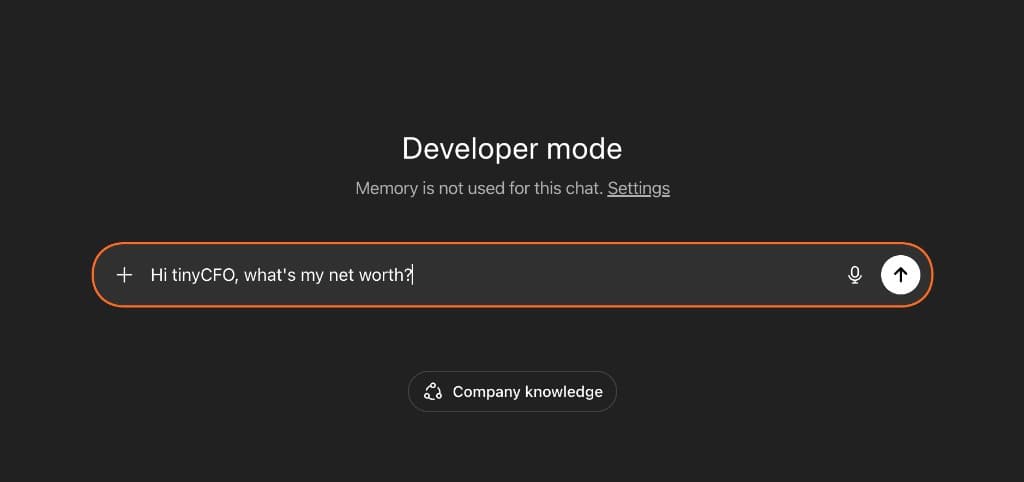
Open a chat where your tinyCFO app is available (for example ChatGPT's Developer mode test chat for that app) and try:
- Hi tinyCFO, what's my net worth?
Troubleshooting
"Unauthorized" or sign-in errors: Open tinyCFO in the same browser, sign in, then retry authorization from ChatGPT.
No data in answers: Confirm at least one account is linked in tinyCFO and sync has finished.
UI differs from this guide: Copy only the MCP Server URL and OAuth Client ID above into the fields your build exposes; names of sections may change while the product is in beta.